
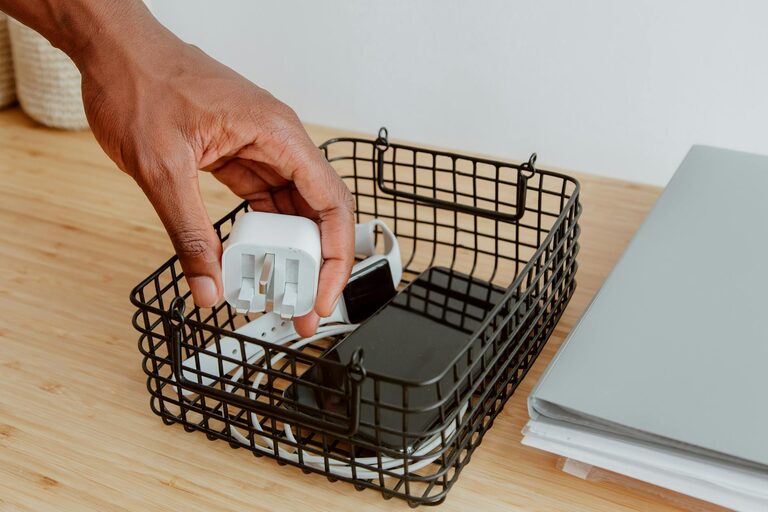
Keeping cables and chargers neat can be a challenge in any home or office. With so many devices requiring power and connectivity, cables tend to tangle, creating clutter and frustration. However, organizing these essential items doesn’t have to be difficult. Below are practical tips and methods to help you arrange your cables and chargers neatly, saving space and making your life more convenient.
Why Organizing Cables and Chargers Matters
Before diving into the how-to, it’s important to understand the benefits of cable organization:
– Reduces clutter and mess: Tangled cables can make your space look untidy.
– Prevents damage: Proper storage prevents wear and tear on cords and connectors.
– Saves time: Easily find the cable or charger you need without searching.
– Enhances safety: Avoids tripping hazards and overheating risks.
– Improves device longevity: Keeps chargers in good condition for longer use.
Assess Your Cables and Chargers
Start by gathering all your cables and chargers in one place. Sorting through them can reveal what you actually use and what you can discard.
Steps to Assess:
- **Collect everything:** Pull cables, chargers, and adapters from drawers, bags, and spots around your home or office.
- **Sort by type:** Group similar items such as phone chargers, laptop cables, HDMI cords, etc.
- **Check functionality:** Test cables and chargers to ensure they work properly.
- **Declutter:** Recycle or donate any broken, outdated, or duplicate cables.
Choose the Right Storage Solutions
After sorting, identify storage solutions that fit your lifestyle and space.
Popular Storage Ideas:
– Cable organizers and clips: Small clips or ties that keep cables separated and tangle-free.
– Drawer dividers: Use compartments to separate chargers and cables within a drawer.
– Cable sleeves: Neatly bundle multiple cables in one sleeve to reduce visual clutter.
– Cable boxes: Enclosed boxes to hide power strips and excess cable length.
– Labeling system: Use tags or labels to quickly identify each cable.
Step-by-Step Guide to Organizing Cables
Here’s a detailed plan to keep your cables under control.
1. Coil Your Cables Properly
– Avoid tight coils which can damage the internal wires.
– Use the “over-under” coiling method for flexibility.
– Secure the coil with a reusable twist tie or Velcro strap.
2. Use Cable Ties or Velcro Straps
– Group cables of the same type or use to keep individual cables neat.
– Reusable ties are best to adjust length or add new cables later.
3. Label Each Cable
– Write device names or purposes on small tags.
– This makes it easy to grab the correct cable without guessing.
4. Designate a Charging Station
– Select a spot where you regularly charge devices.
– Use a charging dock or multi-port charger to consolidate charging needs.
– Keep extra cables stored nearby, rolled and secured.
5. Tuck Away Excess Length
– When a cable is too long, coil the extra length and secure it.
– Use cable clips or adhesive hooks along desks or walls to hold cables in place.
Organizing Cables for Travel
Don’t forget your portable needs. Keeping cables organized on the go is equally important.
– Use a dedicated pouch or case with compartments.
– Roll cables loosely to prevent damage.
– Label cables or note which devices they belong to.
Maintenance Tips to Keep Cables Neat
– Regularly review your cable collection to remove unused items.
– Replace damaged cables promptly.
– Keep organized in accessible, designated storage spots.
– Avoid overbending or wrapping cables around devices.
Conclusion
A little time and effort can make a big difference in organizing your cables and chargers. Not only will your space look cleaner, but you’ll find it easier to access and maintain your devices. With proper coiling, storage solutions, labeling, and charging stations, cable chaos will be a thing of the past. Start with a small area and build a system that works best for your needs—it’s worth it for the peace of mind and convenience. Happy organizing!