
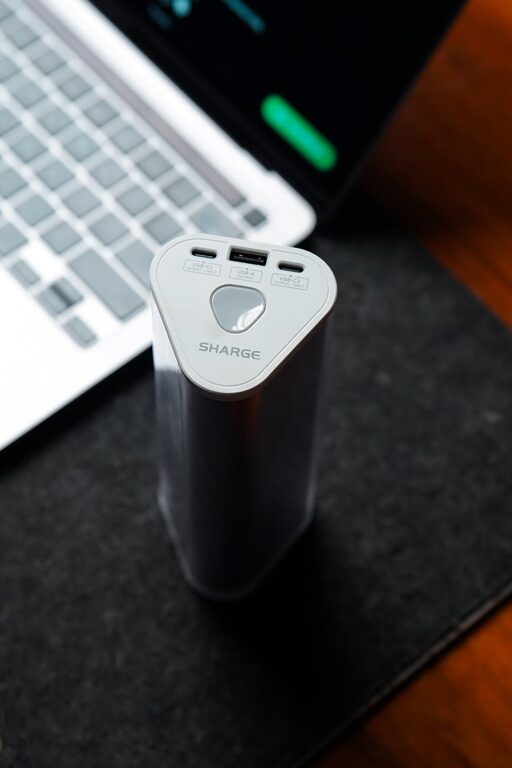
Setting up a dedicated charging station for your devices is a simple yet effective way to keep your tech organized and ensure everything stays powered up. With so many gadgets like smartphones, tablets, smartwatches, and earbuds in daily use, having one central spot to charge them can save time, reduce clutter, and prevent cable chaos.
In this post, we’ll guide you through the steps and tips for creating a charging station that suits your home or office. Whether you’re tech-savvy or a beginner, this easy-to-follow tutorial will help you get started.
Why Create a Charging Station?
Before diving into setup, let’s quickly look at the benefits:
– Organization: No more searching for cables or outlets; everything stays tidy.
– Efficiency: Charge multiple devices simultaneously with one power source.
– Safety: Prevent electrical hazards by using the right adapters and managing cables.
– Space-saving: Avoid scattered cords across rooms or counters.
Step 1: Choose the Right Location
Selecting a location for your charging station is key to convenience and accessibility.
Consider These Factors:
– Accessibility: Pick a place you use often like a desk, kitchen counter, or living room table.
– Power Source Availability: Make sure there’s an outlet nearby or use a power strip with surge protection.
– Ventilation: Allow airflow around devices to prevent overheating during charging.
– Lighting: A well-lit area helps you see ports and cables clearly.
– Surface Stability: A flat, sturdy surface avoids devices slipping or falling.
Step 2: Select Charging Equipment
Gather the essentials to set up a practical charging station.
Essential Equipment:
– Power Strip or Charging Hub: Choose one with multiple USB and AC outlets. Look for models with surge protection for device safety.
– Charging Cables: Have the right types (USB-C, Lightning, Micro USB) for your devices.
– Device Stands or Holders: Optional but helpful to keep devices upright and organized.
– Cable Management Tools: Cable clips, ties, or sleeves keep cords neat and tangle-free.
– Charging Dock or Pad: For wireless charging-compatible devices, consider a wireless charging pad.
Step 3: Organize Your Charging Station
An organized station helps maintain order and improves usability.
Tips for Organization:
– Group Devices: Arrange phones, tablets, and other gadgets by type or user.
– Label Cables: Use tags or colored tape to identify cables quickly.
– Hide Excess Cables: Use cable ties or sleeves to bundle and hide long cables.
– Use Trays or Boxes: Place chargers and accessories in containers to avoid clutter.
Step 4: Set Up and Connect
Now it’s time to assemble your charging station.
Instructions:
- **Plug In Power Source:** Connect your power strip or charging hub to the wall outlet.
- **Arrange Cables:** Lay out charging cables, attach to cable clips or grooves to keep them from tangling.
- **Position Devices:** Place phones, tablets, and other gadgets in holders or directly on the surface.
- **Connect Devices:** Plug in charging cables securely and place devices for charging.
- **Test All Ports:** Confirm that each outlet or USB port works properly.
Step 5: Maintain Your Charging Station
To keep your setup efficient over time, regular upkeep is important.
Maintenance Tips:
– Clean Regularly: Dust and wipe surfaces and cables to avoid buildup.
– Check Cables: Replace damaged or frayed cables promptly.
– Monitor Charging Speed: If devices charge slower than usual, troubleshoot the charger or cables.
– Update Equipment: Consider upgrading to chargers with faster charging or more ports as needed.
Additional Tips and Ideas
– Portable Charging Station: Use a sturdy box or small shelf if you need a movable station.
– Create Family Zones: If several family members charge devices, assign zones for each person.
– Add Smart Features: Incorporate smart plugs or timers to control charging automatically.
– Decorate: Personalize with calming colors, a small plant, or decorative trays for aesthetics.
Final Thoughts
Setting up a charging station may take a little time upfront, but it offers major advantages in convenience and device care. By following these steps—choosing the right location, selecting good equipment, organizing cables, and maintaining the setup—you can enjoy a clutter-free space where all your devices are ready to go whenever you need them.
Take a moment today to start arranging your own charging station – you’ll appreciate the order and ease it brings to your day-to-day life!